 English
 العربية
 Afrikaans
 Deutsch
 Español
 Français
 हिन्दी
 Bahasa Indonesia
 Italiano
 日本語
 한국어
 Bahasa Melayu
 Nederlands
 Português
 Română
 Русский
 Svenska
 ไทย
 Tiếng Việt
 简体中文
 In the Pictyle app
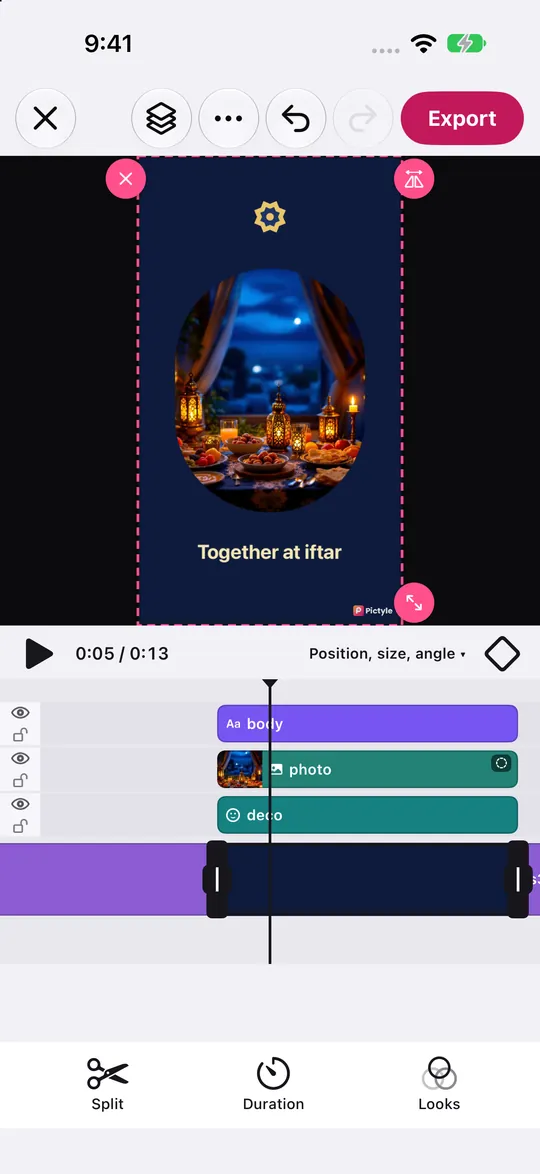
A real video editor in your pocket
Stack video, photos, text, stickers and shapes on layers, animate anything with keyframes and finish with captions and music, all on your phone.

Why you will like it
Layers that stay tidy
Put video, photos, text, stickers, shapes and effects on up to 50 visual tracks, with groups, hide and lock.
Keyframes for anything
Animate position, size, rotation, opacity, volume, blur, masks and colour with 9 easing curves.
Masks, blends and chroma key
Cut shapes with masks, mix layers with 9 blend modes and remove a green screen in a tap.
Speed you control
Go from 0.1x to 10x, or use speed curves such as montage, hero and bullet time.
Sound and captions
Add music, sound effects and a voiceover, let music duck under speech, and make captions on your phone.
Export your way
Export up to 1080p for free, or 4K and 60 fps with Pictyle Pro, in story, square, post or wide sizes.
How it works
-
Step 1
Add your media
Pick clips and photos, or free stock videos from Pexels.
-
Step 2
Edit on the timeline
Trim, layer, animate and add text, music and captions.
-
Step 3
Export and share
Save to your phone or share straight to your apps.