 English
 العربية
 Afrikaans
 Deutsch
 Español
 Français
 हिन्दी
 Bahasa Indonesia
 Italiano
 日本語
 한국어
 Bahasa Melayu
 Nederlands
 Português
 Română
 Русский
 Svenska
 ไทย
 Tiếng Việt
 简体中文
 In the Pictyle app
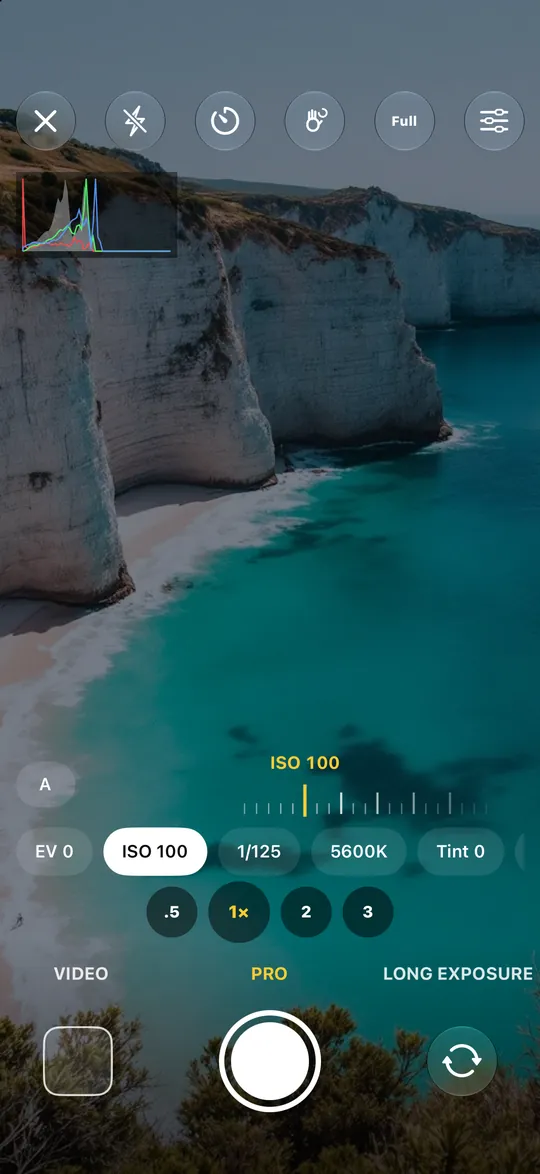
A camera that lets you decide
Manual controls, RAW capture and pro helpers, so your photos look the way you meant them to.

Why you will like it
Full manual control
ISO, shutter speed, white balance, tint, manual focus and exposure, with AE lock.
RAW and HEIF
Shoot RAW or RAW plus JPEG where your phone supports it.
4K and 60 fps video
Record up to 1080p for free, or 4K and 60 fps with Pictyle Pro, where your phone supports it.
Pro helpers
Histogram, zebras, focus peaking, level and grid.
More ways to shoot
Long exposure, dual camera, burst, timer and hands-free triggers.
Light when you need it
An adjustable light, from a dimmable torch to a warm screen light for selfies.
How it works
-
Step 1
Choose a mode
Photo, video, pro or long exposure.
-
Step 2
Set it up
Adjust the dials, or leave them on auto.
-
Step 3
Shoot and edit
Open your shot straight in the editor.