 English
 العربية
 Afrikaans
 Deutsch
 Español
 Français
 हिन्दी
 Bahasa Indonesia
 Italiano
 日本語
 한국어
 Bahasa Melayu
 Nederlands
 Português
 Română
 Русский
 Svenska
 ไทย
 Tiếng Việt
 简体中文
 In the Pictyle app
Make it move, make it yours
Turn photos into sticker packs for WhatsApp, and photos or a short clip into a GIF.

Why you will like it
Your own stickers
Cut out a photo or write lettering, then add an outline.
Packs for WhatsApp
Keep up to 30 stickers in a pack and add it to WhatsApp.
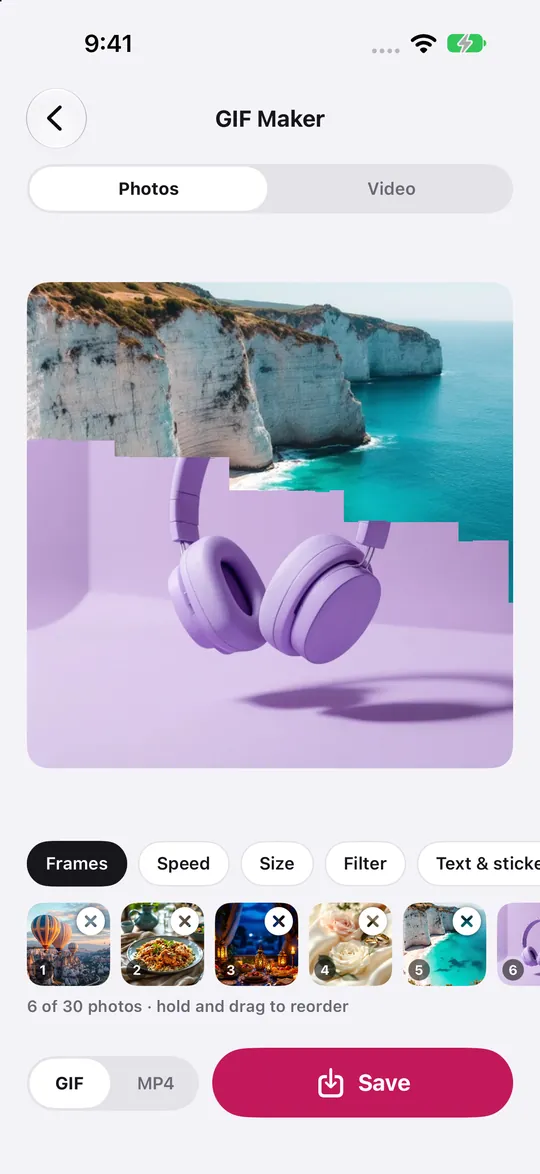
GIFs from photos or video
Use 2 to 30 photos or a short clip.
Fine-tune the loop
Set frames, speed, size and filter, add text and stickers, and save as GIF or MP4.
How it works
-
Step 1
Choose photos
Or a short video clip.
-
Step 2
Edit
Cut out, outline, add text and set the speed.
-
Step 3
Save and share
Add stickers to WhatsApp or save your GIF.